A truly brilliant Web service is one that impacts your life offline, and can change your life for the better. While there are many different Web sites
considered must-visits practically every day, there are other vertical apps which can be especially important for a brief period of your life - such as those, for example, based around health issues, graduate test prep, or prenatal planning. In our home in the last few months, in companion with
Mint.com, no single service has been more important, nor more heavily utilized and debated, than
Redfin.com (and its associated iPhone app). As we anticipate our third child in a few months, we've known we need to move to a bigger place, and we have done almost all our research and comparisons through Redfin. Essentially, if the activity isn't displayed on Redfin, we assume it doesn't exist.
While there are no doubt many different real estate search sites on the Web, Redfin came well recommended by peers, and in my own comparisons, I often found that Redfin data was more recent and more accurate than others, such as
Zillow.com, despite the fact that both services (and many others) pull from the same sources.
Searching for homes on Redfin by price, size and bedrooms...
As a family looking to get a better home, but not being uber-rich, which would come in handy here in the high-priced Bay Area, my wife and I had to determine several things, including those factors which we determined were important to us, including location, size of the home, number of bedrooms, the type of backyard, size of the yard, and quality of nearby schools. Meanwhile, as I played with Excel to try and figure out just how much we could afford, I started dabbling with Redfin to find potential homes and stow them away in my favorites.
Results of Homes that Match Criteria - All Clickable
This dabbling soon became a full-time hobby. For the last three months, I've scoured the Peninsula for homes that made sense for us. If I thought they were a candidate, I hit favorite. I could sort by price, sort by the size of the home, eliminate those that didn't meet criteria, and find which ones had upcoming open houses. Meanwhile, Redin.com has been sending me updates by e-mail overnight to catch me up in case prices change, those on my watchlist saw sales pending, or if open houses were planned or canceled.
One Update from Redfin via E-mail.
Redfin has become my hub for the entire search, and has been so effective that my wife and I haven't looked anywhere else. Every home we have looked at, we previously previewed on Redfin and had the specs memorized before we went through the front door. And after every visit, we went back to Redfin to make changes to our list.
Redfin Pulls From a Wide Variety of Listings (As You Can See)
Knock on wood, this search looks to be soon coming to an end, hopefully. As
my wife's not getting any less pregnant, and the buyer of our condo is entering the homestretch on his approvals and paperwork, I hope we start planning the moving phase, and dealing with that major headache.
Redfin.com is not available in all areas, focusing on a number of select metropolitan areas - which, obviously, the San Francisco Bay Area is one. As somebody who prefers to leverage the Web for practically everything I possibly can, it's been awesome to have a strong silent partner like Redfin.com doing all the hard work of looking around for me and letting me know exactly how much I would have to pay each month, or in property taxes, or even how the price of potential homes has changed over the last few years. I love playing with data, and Redfin has a ton of it. If you are thinking of moving or selling your place, and Redfin.com is in your area, I can't see why you would go it alone.
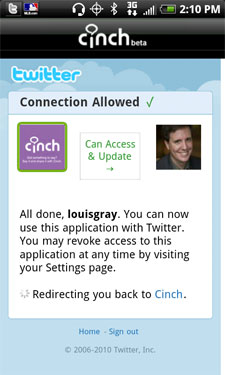
 Since switching to Android from iPhone in an extended trial, there have been few applications that I've sorely missed on the new platform. Topping the list of app vacancies has been Cinch, from BlogTalkRadio. On multiple occasions since the switch, I've found opportunities where I wish I could just fire up the app and do an on the spot interview, only to be left wanting. And my opinion is not the only one. At a recent dinner, I asked Robert Scoble what app he missed most on Android, and he too answered, "Cinch". Luckily for us both, and for the many people who like Cinch and Android, that gap was filled today, as the simple podcast recorder and directory entered the Android Marketplace.


 With the world of Web pages turning to a Web of streams, there becomes a battle to find value in those streams and capture points in time, sharing with your social graph. Between the medium of full-length blogging and more instantaneous tweeting or status updates is forming a lightweight medium, featuring products like